eProcureAI / Platform / Spend Analytics
Spend AnalyticsProcurement Spend Analytics and Reporting Software
Because every purchase runs on one record, the reporting is a by product rather than a project. Spend by category, by supplier, by department, and the things nobody thought to look for.
Built from your own transactions. Nothing here needs a data warehouse or a quarterly extract.
Reporting stops being a monthly production
Most procurement reporting exists because somebody spent three days assembling it. That is why it arrives late, covers last month, and answers the question that was asked rather than the one you have now.
When requests, orders, receipts and invoices all live on the same record, the reporting is already there. Spend by category is not a report somebody builds, it is the same transactions grouped a different way.
That changes what people ask for. Instead of requesting a report and waiting, a department head opens their own spend. Instead of an annual supplier review, concentration is visible whenever anybody looks.
The findings nobody went looking for
The more useful half is what surfaces on its own. Two suppliers with slightly different spellings and the same tax identifier. A category where most spend goes to the contracted supplier and eleven percent goes elsewhere at a premium. Licences renewed every year for seats nobody activates.
None of these are hidden. They are simply invisible when the data lives in four systems, and obvious when it lives in one.
It needs a little history
Worth being honest about this. Cycle time improvements show up immediately, but spend analysis needs a quarter or two of clean transactions behind it before the numbers are worth acting on. The first genuinely useful savings report usually lands in month four or five.
No extract, no warehouse, no wait
The transaction is the record
A request carries a category, a supplier and a department. Nothing needs tagging afterwards because it was captured at the source.
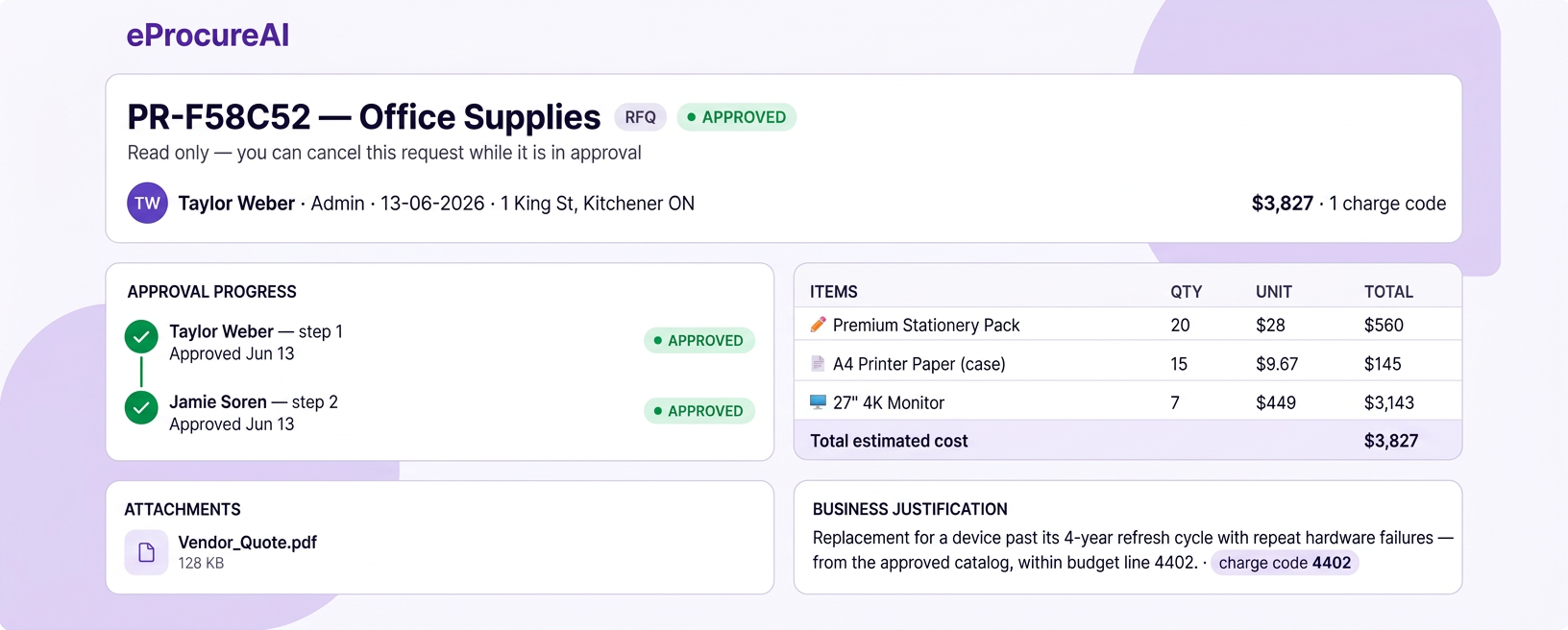
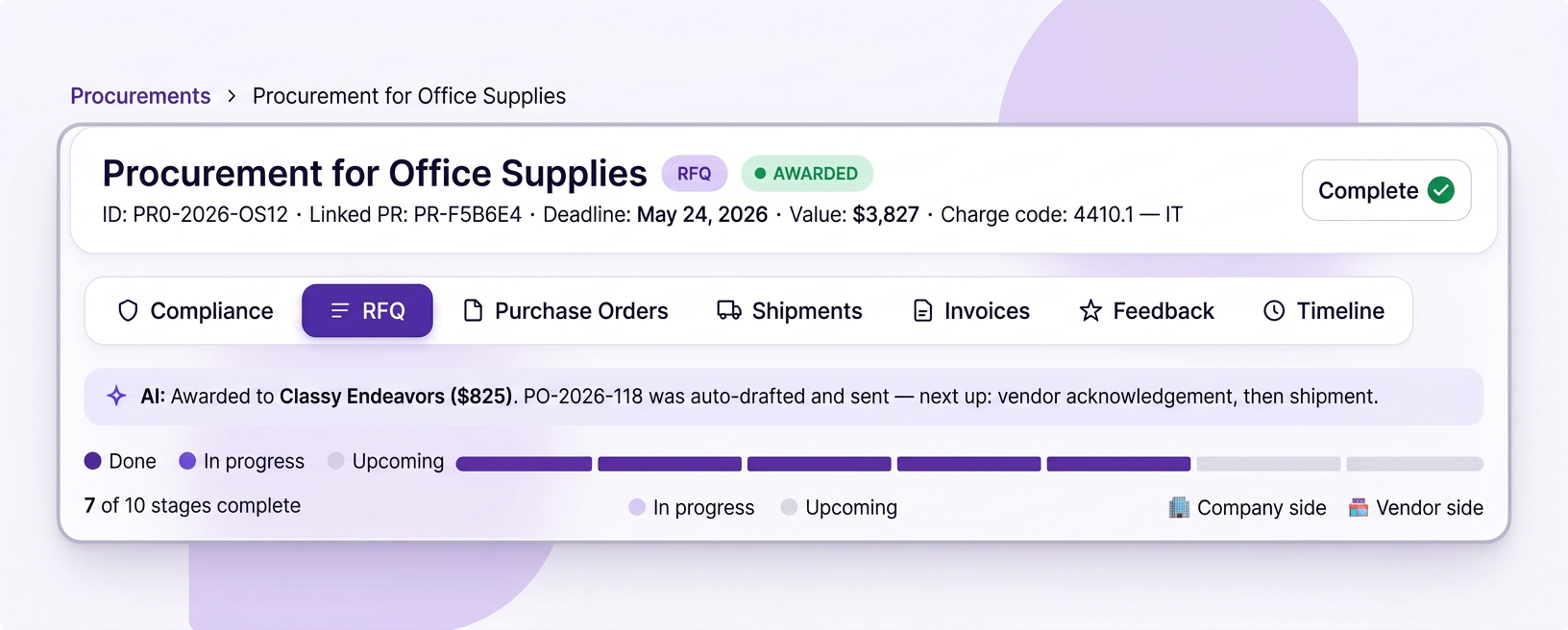
The supplier is on the record
The purchase order keeps the supplier, the category and the department, so spend can be grouped without a later extract.
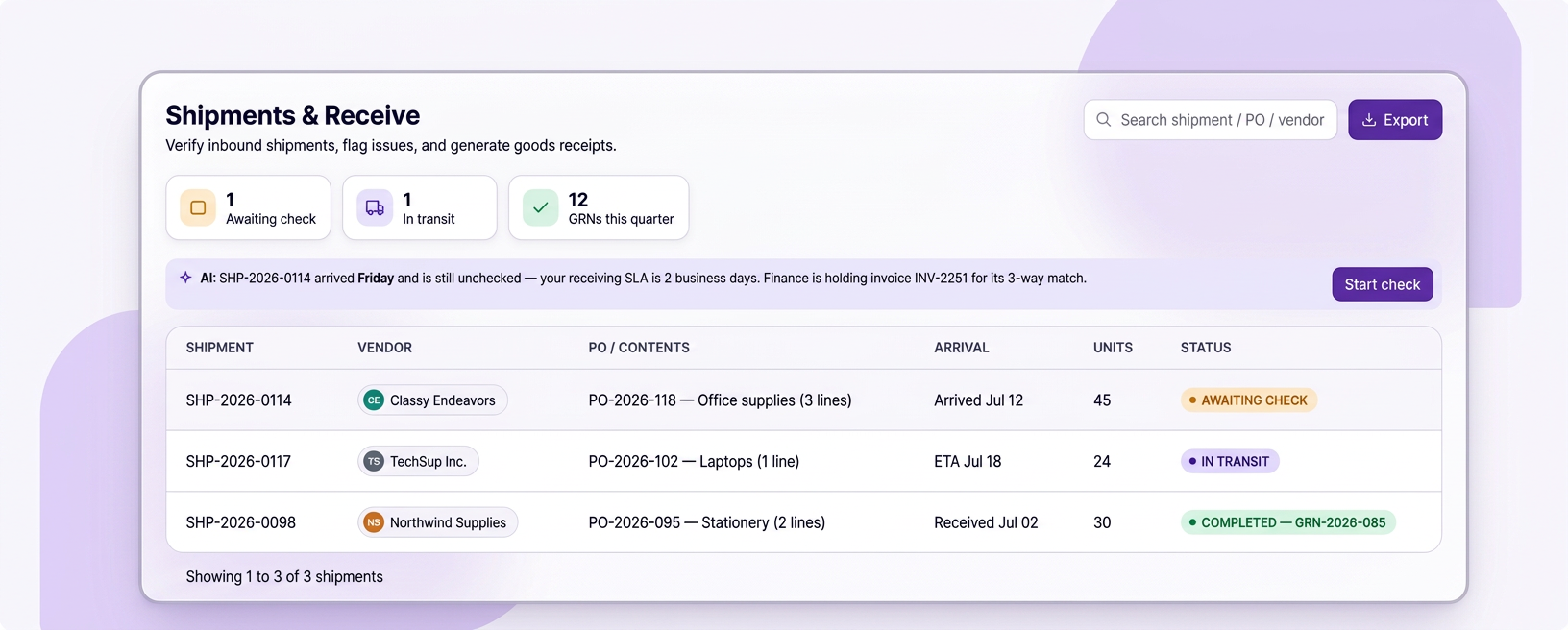
Reality is recorded
What actually arrived is captured at the dock, line by line. The spend number still comes from the matched invoice rather than from the receipt.
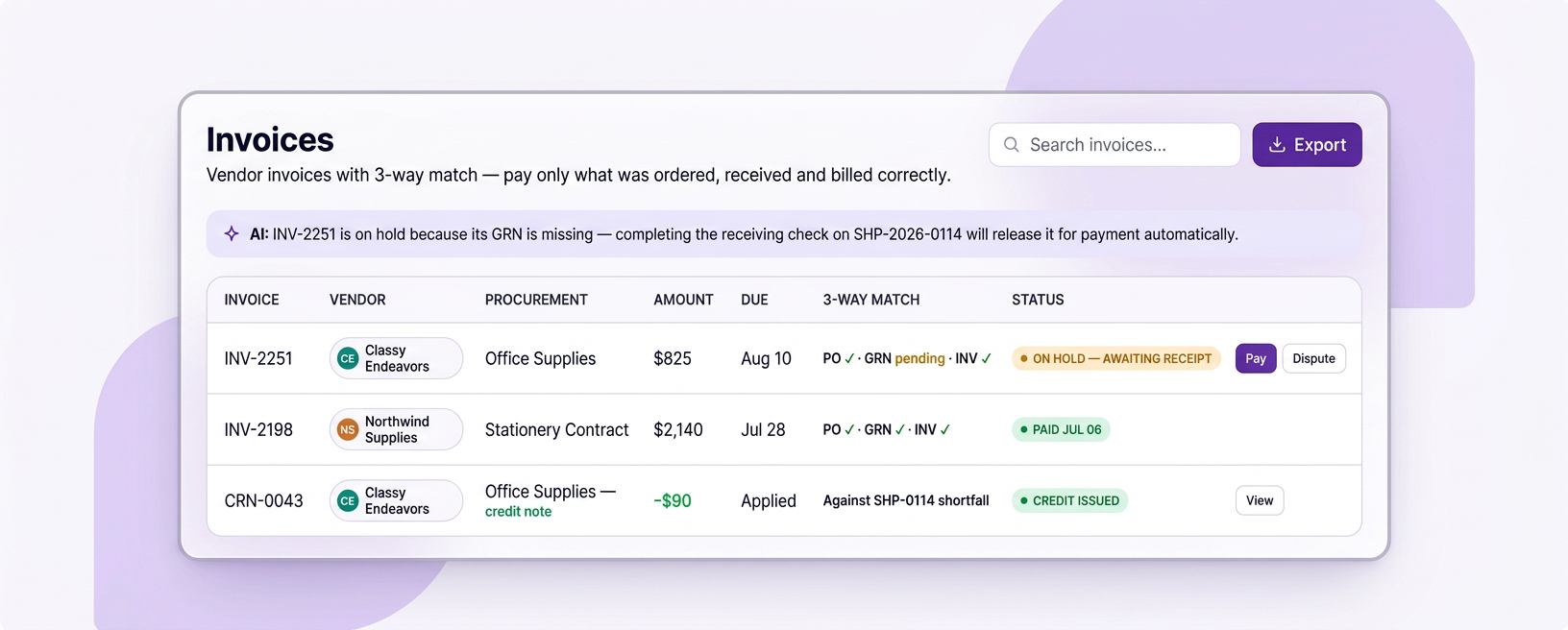
The figure is final
Matched invoices post against the same record, closing the loop without anybody reconciling two systems.
It is already current
There is no month end assembly step, because nothing was ever waiting to be joined together.
Category, supplier and department
By category, for planning
Where the money goes as a shape rather than a list. This is the view that starts conversations about which categories deserve a sourcing event next quarter.
- Category mix across the period
- Trend against previous quarters
- Contracted against non contracted split
- Feeds the sourcing pipeline directly
By supplier, for leverage
How much you actually spend with each supplier, and how concentrated that is. Both numbers matter before a renegotiation and both are usually guessed at.
- Total spend per supplier across the period
- Concentration and single source exposure
- New suppliers added this quarter
- Performance history alongside the spend
By department, for accountability
Each department head sees their own spend without seeing everybody else's, and finance sees the roll up. Same numbers, different scope.
- Department heads scoped to their own spend
- Finance sees the consolidated view
- Drill from a department total to the invoices behind it
- Scheduled to the people who need it
Four findings that pay for the work
Each one is quantified from your own transactions, with the underlying purchases attached so it can be checked rather than argued about.
| Finding | How it is spotted | Typical value | What you do about it |
|---|---|---|---|
| Duplicate suppliers | Similar names or a shared tax identifier | $41,000 a year | Consolidate onto one record and one agreement |
| Off contract buying | Purchases in a category avoiding the contracted supplier | $33,000 a year | Enforce the preferred supplier at the point of purchase |
| Unused licences | Seats paid for against seats actually active | $27,000 a year | Reduce the count at the next renewal |
| Missed volume breaks | Spend split across departments that would qualify if combined | $22,000 a year | Consolidate ordering to reach the threshold |
These are figures one customer identified in a single quarter. Yours will differ, and the point is that the transactions behind each one are attached.
A number nobody acts on is just trivia
Two suppliers become one
Duplicate records are merged, future purchases route to the surviving supplier, and the history stays attached to both.
Make the contracted supplier the default
Off contract buying usually happens because the contracted option is not in the catalog. Adding it fixes the cause.
Go in with the real number
Total spend and concentration are the two facts that matter in a renegotiation, and both are on screen before the meeting.
Put the category out to competition
Categories with several capable suppliers and meaningful spend are the ones worth an event. The analysis tells you which.
Reduce at renewal
Unused licences are easiest to fix at the renewal date, which the contract register already knows.
Set a threshold alert
Some findings are worth monitoring rather than acting on immediately, so the alert does the watching.
The short version of everyone's job
The reporting is a by product of running the process properly, which is why it does not need its own project.
What people do
Look, and decide. Nobody assembles anything, which is the difference from most reporting.
What eProcureAI does
Groups the same transactions in whatever way you asked for, and points out what you did not ask about.
Questions people actually ask
Ask us what your own data would show
The duplicate supplier number surprises most teams. Bring twelve months of spend and we will run it with you.
Book your free demoNext in the chain: Budgets and Charge Codes