eProcureAI / Platform / Vendor Hub
Vendor HubSuppliers keep their own
records up to date
You send an invitation. They fill in the form, upload what you asked for, and the system watches the expiry dates from then on. Your team reviews rather than chases.
This is the real screen. Onboarding forms, EP Scores and compliance validity, from the product.
The chase list is the thing that disappears
Ask a procurement coordinator what takes up their week and supplier paperwork is usually near the top. Not because it is hard, but because it never ends.
An insurance certificate expires. A tax form is out of date. A supplier changed their bank details and told one person by email. Somebody has to notice each of these, and the noticing is the job.
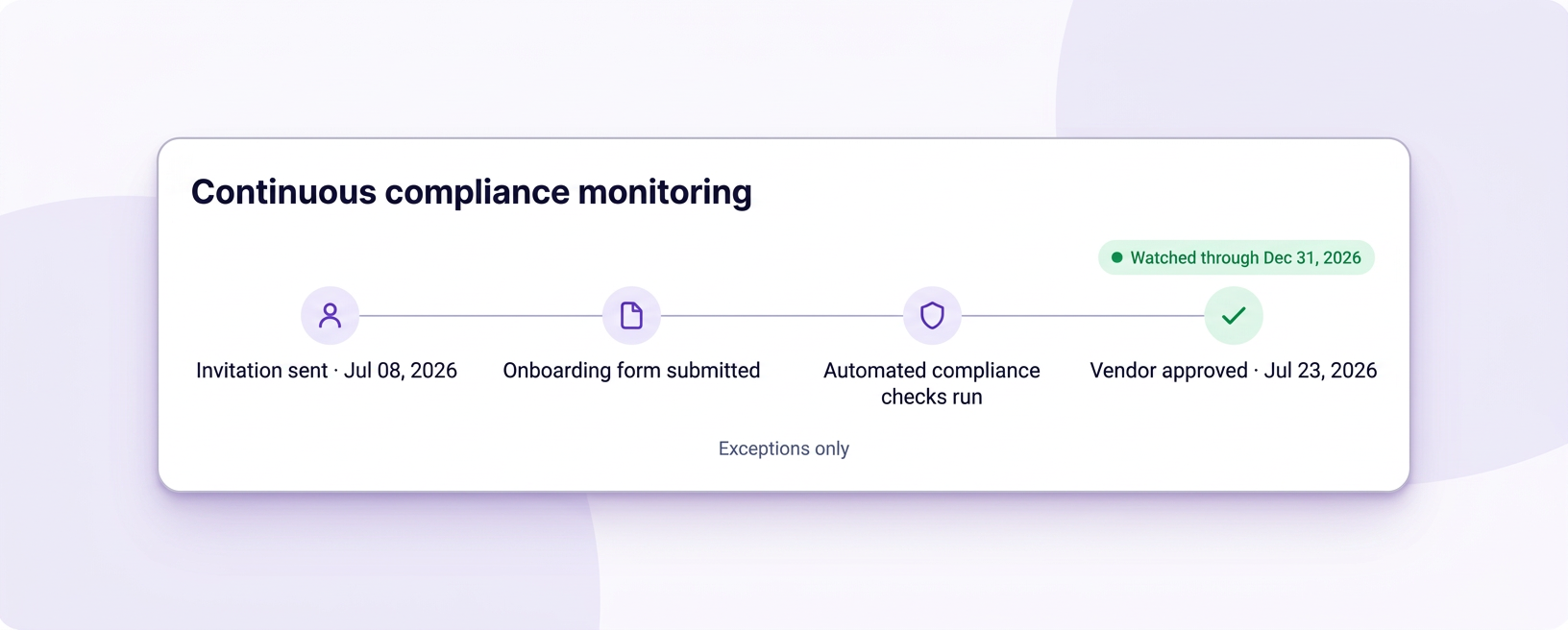
eProcureAI moves that work to the supplier and the calendar. You send an invitation, they complete the onboarding form themselves, and every document they upload carries an expiry date the system watches from then on.
Different forms for different suppliers
Not every supplier needs the same paperwork. A standard onboarding form covers most, while something like the FAR supplier compliance form asks for a great deal more from suppliers working on government contracts. You choose which form goes out with the invitation.
A score, so reviews are quick
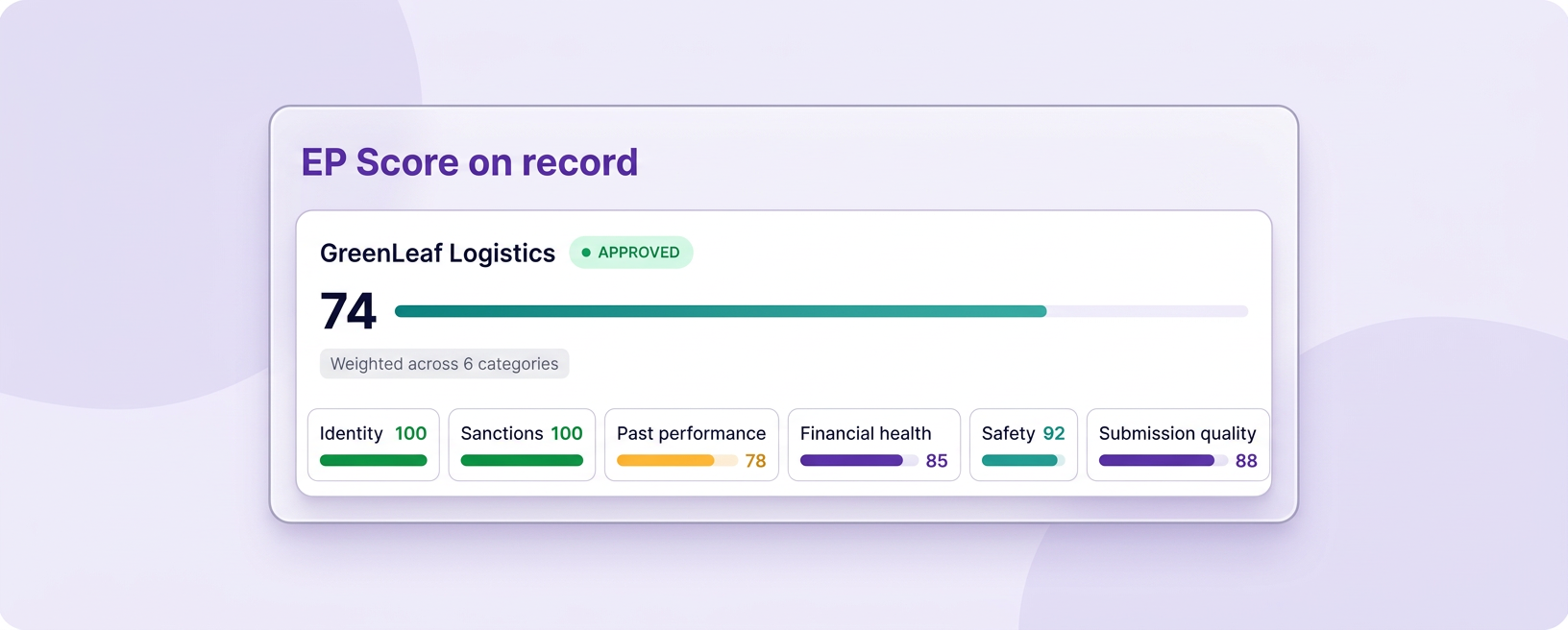
Once a supplier submits the onboarding form, they carry an EP Score from 0 to 100. It is calculated automatically from the sources your company has enabled in EP Score configuration, using the details and documents they just sent. Your team does not type that number. They use it to see where to look without opening every file.
Suppliers update their own insurance and banking now. Our team went from a weekly chase list to reviewing exceptions once a month.Alvin M., Sr. Director Strategic Sourcing, healthcare
From invitation to first purchase order
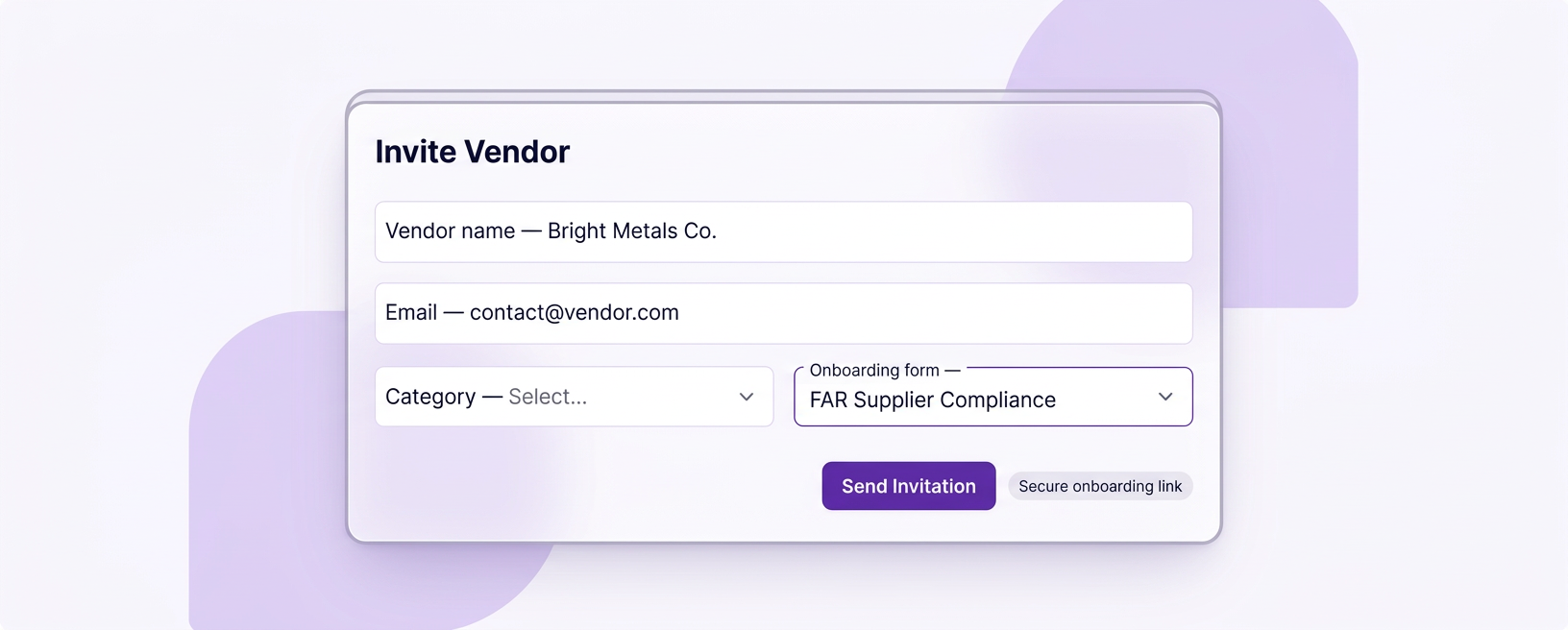
Send the invitation
You enter a name, an email and which onboarding form applies. The supplier receives a portal link listing exactly what is needed.
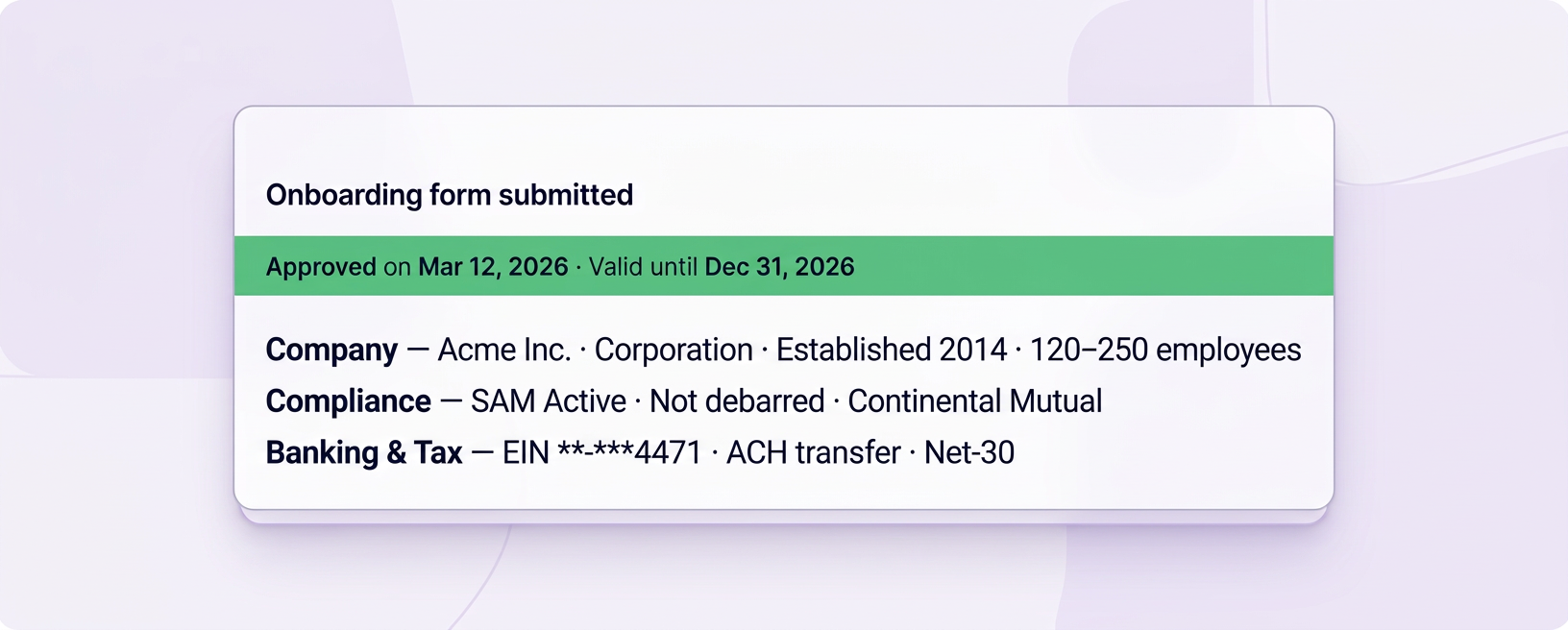
They complete the form
Company details, tax forms, insurance and banking, entered by the people who actually hold them rather than transcribed by yours.
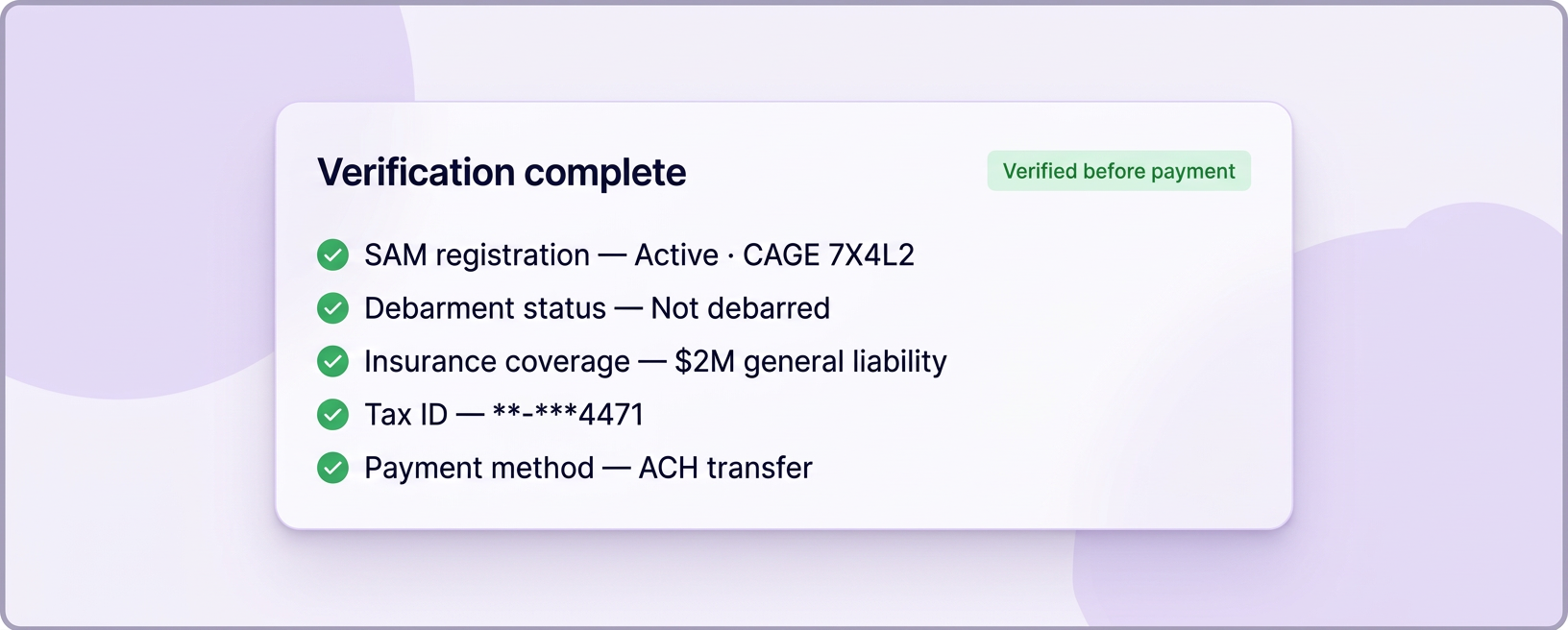
Verification
Banking details are checked before any payment can be released, and uploaded documents are validated against what the form required.
Review, with a score already on the record
Your team reviews once. By then the EP Score is already there, calculated from the sources in your EP Score configuration and the form they submitted. You categorise them and assign a validity period. You do not enter the score.
Watched from then on
Expiry dates are tracked and the supplier is chased before anything lapses. Your team only sees the exceptions.
Everything you would otherwise go looking for
The profile and its validity
Category, contact details, location and a compliance validity period. When a supplier is approved for 2026, that is on the record rather than in somebody's memory of a conversation.
- Core profile with category and contact details
- Compliance validity with an end date
- Approval state visible at a glance
- Annual review scheduled rather than remembered
Their own form responses
What the supplier actually submitted, kept against the record. When somebody asks six months later what a supplier declared, the answer is a click rather than an email search.
- Form responses stored as submitted
- Which form was used is recorded
- Invited and submitted dates both kept
- Re-requests can target a single missing document
Documents with expiry dates
This is the part that saves the most time. Every certificate carries a date, and the date is what triggers the chase rather than a person noticing.
- Expiry tracked on every document type
- Supplier chased before it lapses, not after
- Escalation if there is no response
- New orders can be blocked when critical cover expires
Where a supplier sits and what happens next
Taken from the vendor directory and the onboarding list in the product.
| State | What it means | Can you buy from them | Who acts next |
|---|---|---|---|
| Invitation sent | The form has gone out and nothing has come back yet | No | The supplier, with a reminder from us |
| Pending review | They have submitted and your team has not looked yet | No | Your procurement team |
| Approved | Reviewed, with an EP Score already assigned, and given a validity period | Yes | Nobody until review falls due |
| Expiring | Approved, but a required document lapses soon | Yes, for now | The supplier, chased automatically |
| Lapsed | A required document has expired | New orders blocked | The supplier, escalated |
Existing commitments are left alone when a document lapses. Only new orders are stopped, which avoids punishing a delivery that is already in transit.
What the system watches so nobody has to
Dates on every document
Insurance, certifications and tax forms all carry an expiry. The supplier is reminded before it lapses and escalated if they stay quiet.
Compliance validity by year
Suppliers are approved for a period rather than forever, so an annual review is a list you work through rather than a project you launch.
Verified before payment
Bank detail changes are checked before any money can move, which closes the most common way companies are defrauded through accounts payable.
Assigned automatically, 0–100
When the form lands, the sources enabled in your EP Score configuration run against the answers and documents. A score from 0 to 100 is written onto the record. Your team uses it to prioritise reviews. They do not set it.
Ask for one document
When something is missing you can request that single document rather than restarting the whole onboarding form.
Everything searchable
Category, status, score and validity in one list, so finding every supplier due review this quarter is a filter rather than an exercise.
The short version of everyone's job
The work does not disappear, it moves to the supplier and the calendar, which are both better placed to do it.
What people do
Send an invitation and review what comes back. Between those two moments your team is not involved.
What eProcureAI does
Collects, verifies, scores and then watches the calendar indefinitely.
Questions people actually ask
Send a real onboarding invitation on the call
Bring a supplier you are about to onboard and we will send the form live, then walk through what comes back.
Book your free demoNext in the chain: Purchasing and Orders